How Asat Digital Academy works
Your child’s education in just a few clicks—from registration to real results
Get Started in 4 Easy Steps
1
Register Your Child
Create an account and fill in student details online. Choose the correct program level (Nursery, Primary, or Secondary).
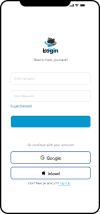
🔑 Receive Login to Myslates
Get secure access credentials via email or SMS. Use them to access the digital platform on any device.
2
🎓 Begin Learning Anytime, Anywhere
Students can watch lessons, complete assignments, and take quizzes daily—on their schedule.
- Learn via tablet, phone, or laptop
- Watch videos, read notes, and interact with activities
- Use offline downloads if needed
3
📊 Track Progress in Real-Time
4
Parents and students can monitor grades, completion stats, and attendance.
- Receive updates through SMS/email
- Visual dashboard with performance charts
- Teacher feedback included
Enroll
Receive Login
Learn
Track Progress
What You Need to Get Started
Smartphone, tablet, or laptop
Smartphone, tablet, or laptop (Android/iOS/Windows)
Internet connection
Internet connection (3G+, Wi-Fi recommended)
Power bank
Optional: power bank or solar-powered device for rural areas
MySlates Learning App for all
One platform designed for students, parents, admins, and facilitators.
👨💼 Parent Portal
Purpose: Show tools for parental involvement.
Sections:
· Progress Tracking Dashboard
· Communication with Teachers
· Alerts & Notifications
· Screenshots or Demos
· Testimonials
🎓 Student Interface
Modules:
· Daily Lessons / Weekly Schedule (synced with Myslates)
· Interactive Assignments & Quizzes
· Language Selector (English / Hausa)
· View Progress, Grades, and Certificates
· Ask a Teacher (message form)
· Resource Library (downloadable PDFs, videos)
- User Management (Facilitators, Students, Parents)
- Class & Timetable Setup
- Content Upload Approval (syncs with Myslates)
- Fees Management & Analytics
- Notifications / Announcements
- Reporting: Attendance, Grades, Activity Logs
📂 Admin Dashboard
👨🏫 Facilitator Interface
- Lesson Planning Tools (upload content, quizzes, links to Myslates)
- Live Class Scheduling (calendar view)
- Student Performance Dashboard
- Communication Tools (chat/email to students/parents)
- Progress Reports & Assignment Review
🤝 Need Help? We're Here for You.
- Technical assistance via WhatsApp, phone or email
- Onboarding support for first-time parents
- List Item #3
Forgot login?
No internet?
Changing programs?
Success stories